

The Audit That Almost Was
We had just failed our audit.
Everything in OneStream was green. No errors. No warnings. The close was complete, and yet the auditors had a major question. Cash Flow didn’t reconcile, not by pennies but by six figures.
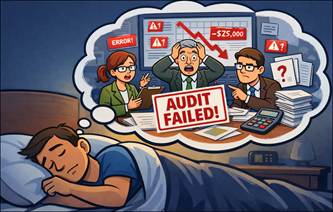
The culprit? A late journal entry! The system allowed it because it had no reason to object.
Then I woke up.
Not to an email from the auditors, but to a red Confirmation Rule. Cash Flow didn’t tie out. Our close submission was blocked, the issue was exposed and fixed in minutes. The audit had never happened.
This is the difference between data that just loads and data you can trust.
From Nightmare to Safeguard
In our opening story nothing was technically broken. The data loaded. The cube processed. OneStream did exactly what it was told to do. But the outcome was still wrong.
This is the gap Confirmation Rules are designed to close. Most close issues don’t come from missing data, they come from data that technically exists but doesn’t make sense, or data that’s vulnerable to human error.
In this case, a late entry was valid, but the related Cash Flow movement was never updated.
Confirmation Rules help determine whether data can be trusted, not just whether it exists.
So, What is a Confirmation Rule?
At its core, a Confirmation Rule is a data quality checkpoint. This is where financial logic gets embedded directly into the close process.
Rules can be attached to Workflow steps to ensure data is not only complete, but reliable at each stage. I prefer to layer rules throughout the process, then attach a full set of checks at the final confirmation step. That way, any data that changes along the way is validated one last time before submission
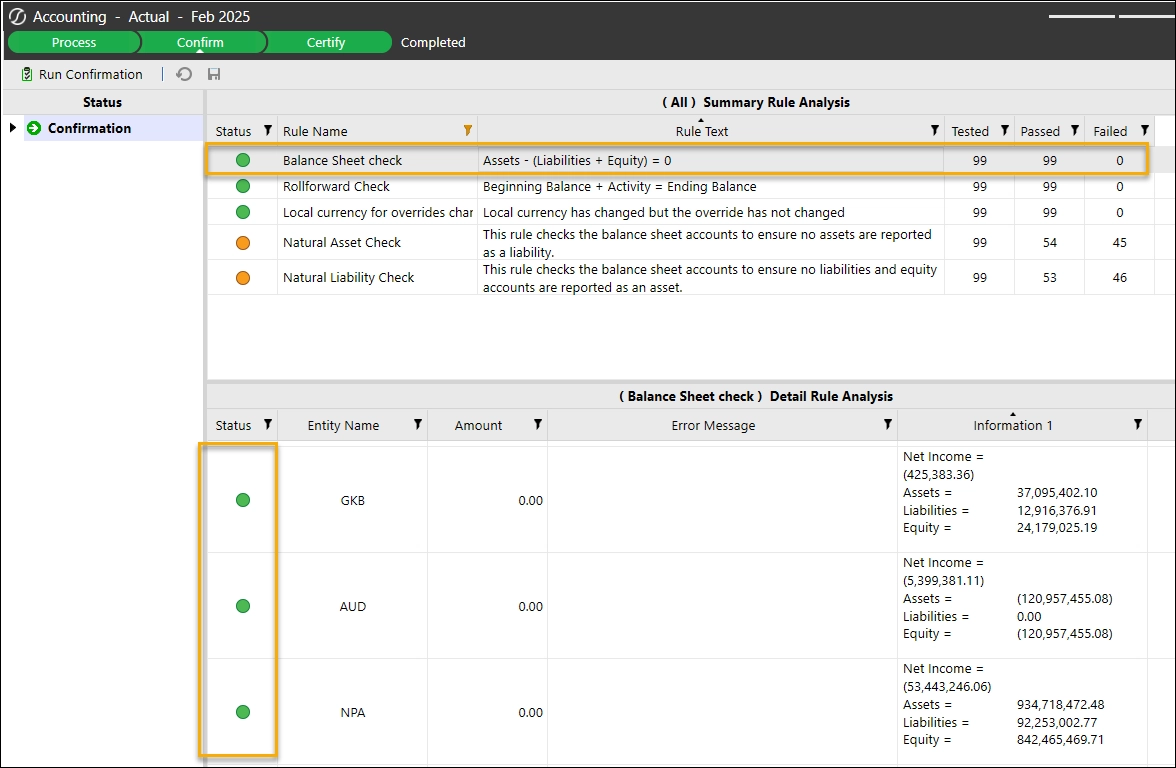
While data load rules control entry, Confirmation Rules control progression. They determine whether users and their data are allowed to move forward in the close.
What Confirmation Rules Are Not
Confirmation Rules are not meant to replace reconciliations, reviews, or professional judgment. They surface issues, but they don’t eliminate the need for human oversight.
They also aren’t meant to catch every edge case. Overengineering rules often leads to logic no one understands and eventually ignores.
Good Confirmation Rules are not just a one time set up. They evolve as the business evolves.
High Value Standard Confirmation Rules (That Actually Pay Off)
While every organization is different, certain Confirmation Rules consistently deliver value. At Black Diamond Advisory, we maintain a starter pack of Confirmation Rules that we implement in every OneStream application. These focus on areas most likely to create downstream issues if something goes wrong.
- Balance Sheet Integrity Checks: Ensure assets equal liabilities plus equity, the starting point for any healthy close.
- Cash Flow Sanity Checks: Confirm all Cash Flow movement is captured for the period. Late entries that impact Cash Flow get caught here.
- USD Override Checks: Flag unexpected change in local currency with no corresponding change in USD.
- Natural Account Balance Check: Confirm assets and liabilities carry the proper signs.
Other commonly used Confirmation Rules include:
- Threshold Checks: Flag accounts that change beyond a defined percentage or dollar amount from the prior period.
- Commentary Required: Require explanations when specific movements or variances occur, ensuring context is captured as part of the close.
Soft Stops vs Hard Stops: Designing for Humans
Not every issue should block submission. OneStream allows Confirmation Rules to be configured as either a Warning or a Fail.
A Fail prevents users from submitting their Workflow step until the issue is resolved.
A Warning alerts the user but allows them to continue. You can see below I have a Fail which requires a user to address before moving on to the final Certify step.
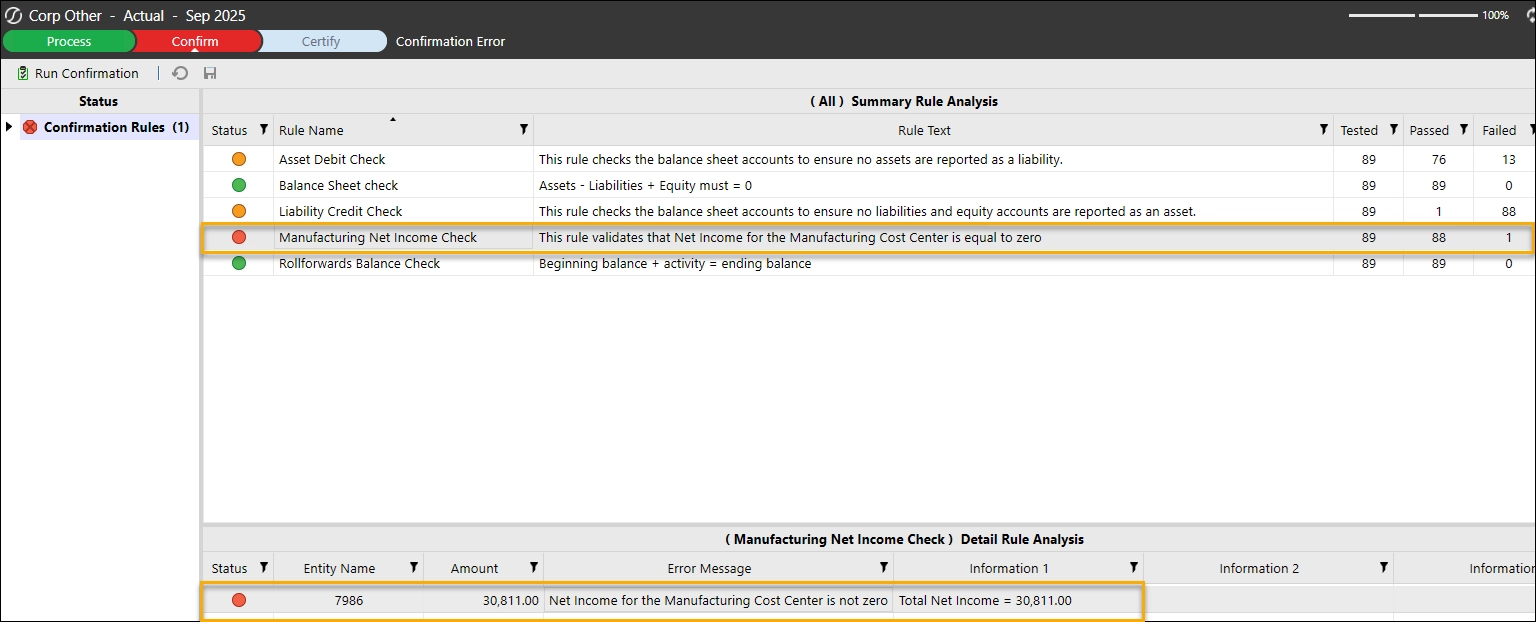
If you are implementing Confirmation Rules for the first time or testing new rules a Warning may be a good way to familiarize teams with a new check before turning it to a hard stop. This can also be used when examining threshold changes or other items that may be correct, but you want to point out to users.
How Teams Actually Benefit (Beyond Passing Audit)
Confirmation Rules don’t just prevent errors, they change behavior.
By surfacing issues earlier and enforcing consistent expectations, teams spend less time validating results and more time moving the close forward. Reviews get faster, rework decreases, and confidence replaces late night fire drills.
What Would You Block If You Were the System?
Every close has a moment where someone thinks, “I wish someone would have caught that”.
That is the Confirmation Rule worth building.
If OneStream could ask one more question during your close, what would it be? What check would save you the most time, rework, or stress?
Leave a comment with the rule you wish you had, or the issue you’re always watching for manually. Chances are, it’s one we’ve seen and solved before.
Coming Next in Part 2: Teaching the System What You Already Know
The hardest part of the close isn’t finding errors, it’s knowing which ones matter.
In Part 2, we’ll show how to turn those “I always check this manually” moments into Confirmation Rules that protect the close without slowing it down.