

Rethinking Dynamic Cubes for Consolidation
Dynamic Cubes have been one of the more exciting additions to the OneStream platform. Most of the early conversations around them focus on planning use cases, where the ability to dynamically generate structures and data models can dramatically simplify solution design. But what if we looked at Dynamic Cubes from a different angle?
In environments where organizational structures change frequently maintaining consistent historical reporting can become extremely challenging. Entity movements, ownership changes, and structural updates can unintentionally alter historical consolidation paths, making it difficult to reproduce what was originally reported.
This led me to start thinking about a different kind of use case for Dynamic Cubes, one that focuses on preserving the structure and data exactly as they existed at a specific point in time.
The Challenge: A Constantly Changing Entity Structure
Enter a use case for Consolidation! My example uses a very dynamic organization with a lot of changing metadata over the course of the year. Specifically, an investment management company that specializes in commercial real estate. This firm goes through lots of ownership changes and metadata movements throughout the year.
As you know, in OneStream:
- The Entity hierarchy is structural metadata
- It is not stored by time
Consolidation uses the current hierarchy when you calculate Ownership percentages and ownership types are time based. The hierarchy placement is not. So, when you move the entity, you’re changing the consolidation path for all periods.
Why Traditional Approaches Fall Short
We typically handle this type of change by doing one of the following:
Instead of physically moving the entity, we might:
- Keep the entity under multiple parents in the hierarchy
- Control consolidation percentages through Ownership properties
- Change consolidation methods with effective dates
In more extreme cases, administrators might even duplicate or rename members. For example, E12345 becomes E12345_2026M1, and a new E12345 is created moving forward. While this works technically, it quickly becomes messy and difficult for users to understand.
Another common approach is to use alternate hierarchies.
However, for this client, alternate hierarchies introduced their own administrative challenges. The number of hierarchies required to maintain historical structures would grow quickly, and maintaining transformation rules, ownership relationships, and consolidation percentages across all of them would become unsustainable.
The Idea: Snapshotting Structure and Data
So, I started thinking: what if there were a simple way to capture the structure exactly as it existed at a specific point in time, along with the associated data?
That would allow users to:
- View financial statements exactly as they were reported
- Review the hierarchy structure that existed at the time
- Compare current structures with historical ones
This is where the Dynamic Cube idea came into play.
How the Snapshot Solution Works
I started small by creating a table designed to store the entity structure along with related metadata, including:
- Entity parent relationships
- Ownership types
- Ownership percentages
- Time ID
- A SortPath to preserve hierarchy ordering
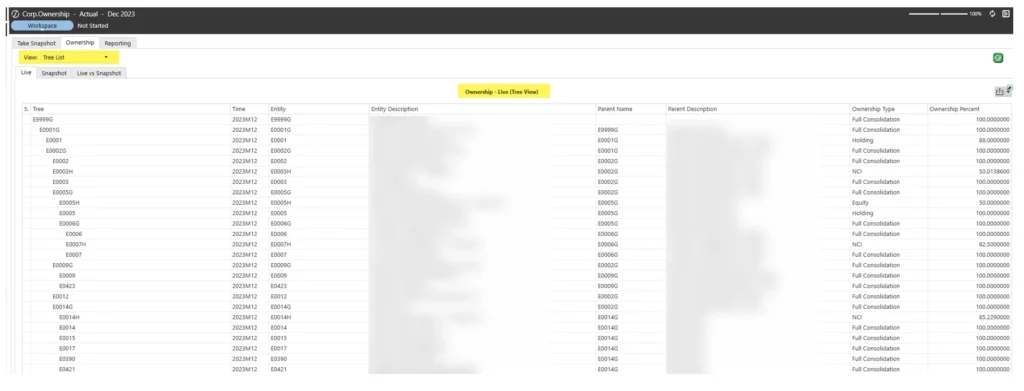
This allows the structure to be displayed either as a flat list or as a hierarchical structure.
Next, I built a SQL query that captures the metadata exactly as it exists at a specific point in time and stores it in the snapshot table.
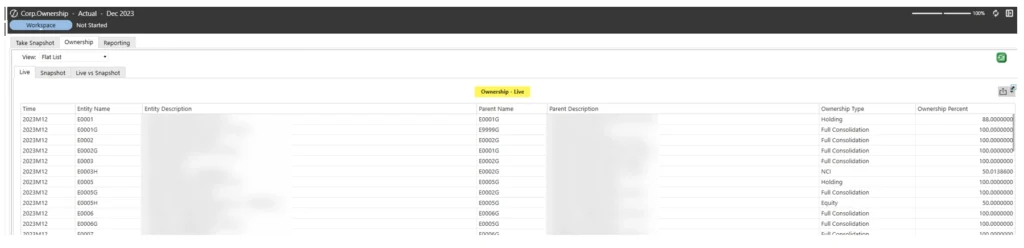
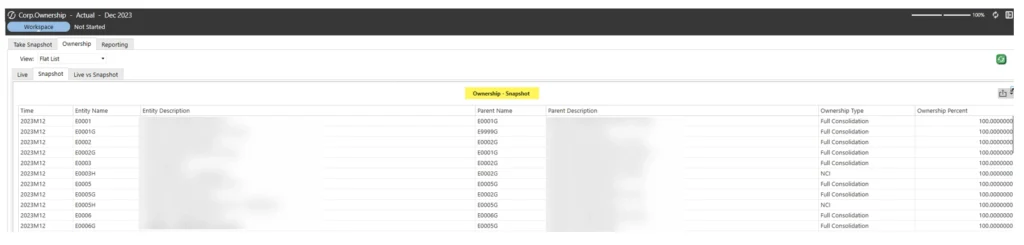
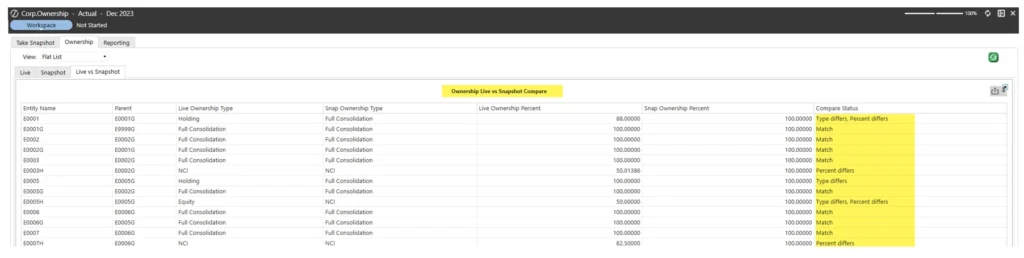
To support validation, I also created a dashboard that displays:
- The current structure
- The snapshot structure
- A comparison of the two
This ensures that users can confirm there are no unexpected variances.
For this client, I added a Snapshot dashboard interface directly into their workflow so they can execute the snapshot once financials are finalized and signed off.

Building the Dynamic Snapshot Cube
Next, I enabled Dynamic Cube Services in the environment. (If you haven’t done this before, OneStream provides great documentation, and in the newest versions this is enabled by default.)
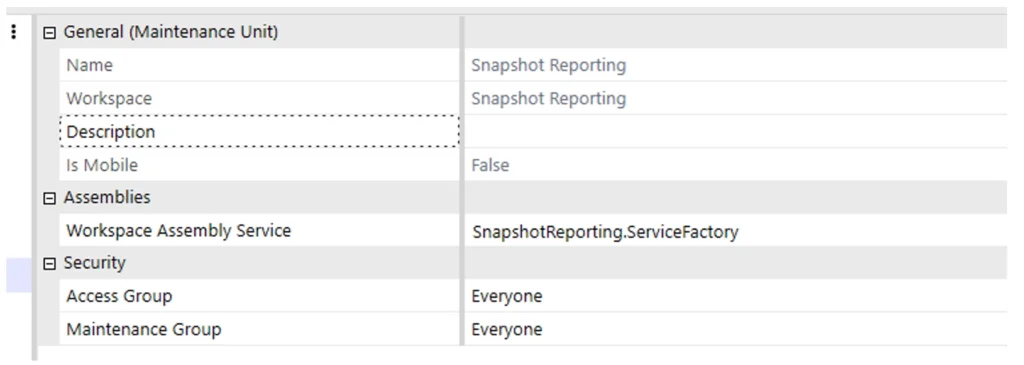
I created a workspace assembly to contain all related dashboard objects and to build the cube from relational data sources. The workspace was titled Snapshot Reporting.
Within the workspace, I defined the service factory and pointed the Workspace Assembly Service to the Snapshot Reporting Service Factory.
Inside the service factory, I used the DynamicData workspace assembly service type.
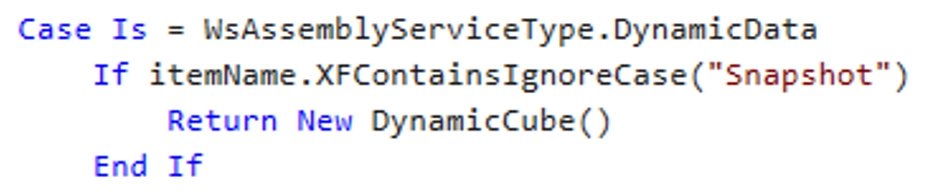
One key design realization during setup was that a new dynamic cube should be created each time a snapshot is taken, because the Entity dimension itself cannot be dynamic.
My first approach attempted to render the entity structure using UD7, but this introduced caching issues and prevented reliable side-by-side comparisons of historical snapshots.
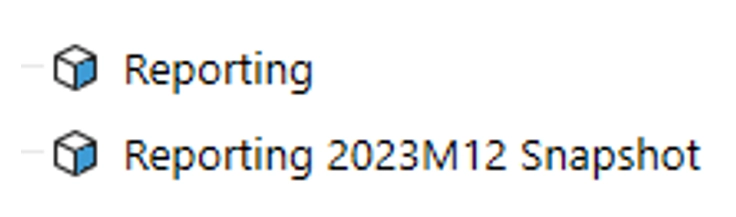
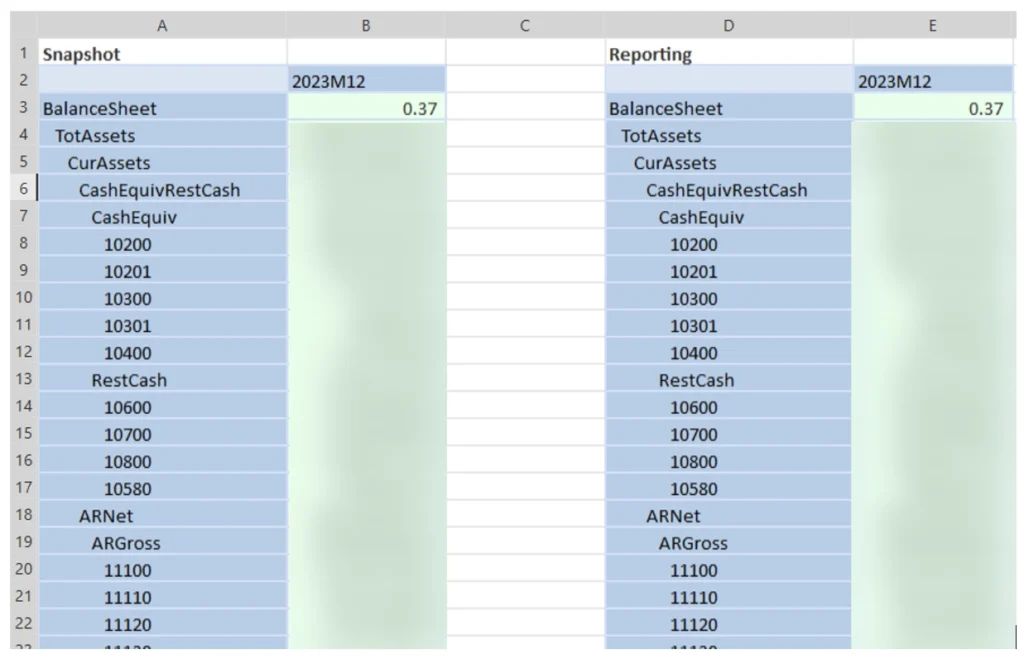
Creating a new cube for each snapshot solved this problem. It preserves the data exactly as it existed while avoiding any risk of modifying historical values. It also allows users to compare snapshots side-by-side.
Another advantage is that these cubes remain fully independent of the application’s primary cubes.
To control storage impact, we carefully limited the amount of data copied so the database wouldn’t grow unnecessarily.
When the “Take Snapshot” button is clicked within the workflow, the system initiates the dynamic cube creation process.
Only one snapshot per month/year is maintained. If a snapshot is taken earlier in the close process and something changes, the snapshot can be re-run and overwrite the previous version for that period.
Snapshot Button:

Cubes:
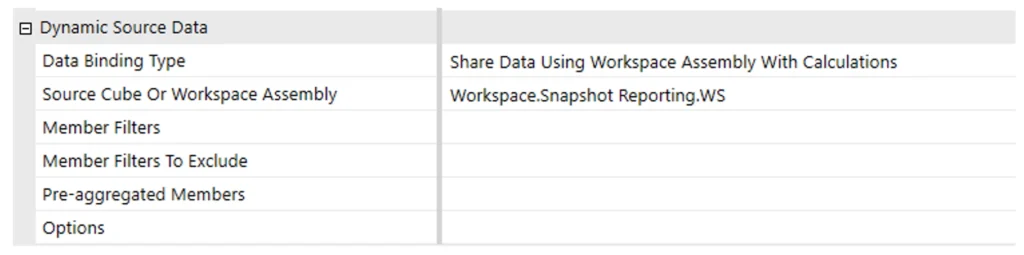
Snapshot cube Dynamic Source Data:
Behind the Scenes: What the Snapshot Rule Does
The Snapshot_DBEXT rule performs several key actions.
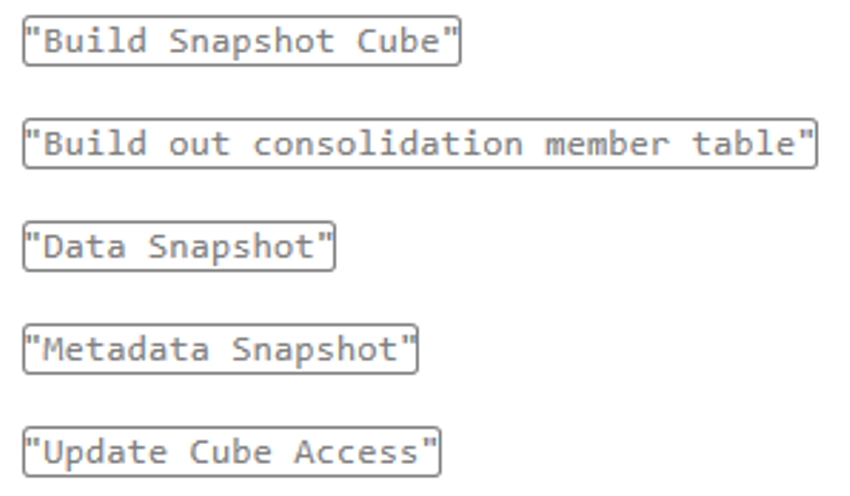
Snapshot Cube Creation
The system:
- Loads an XML metadata template
- Inserts the cube name and snapshot label
- Defines the cube dimensions
- Saves the result as a new metadata file
- Loads the metadata into the system to create the cube
Consolidation Structure Snapshot
The consolidation hierarchy is materialized into a SQL table. This preserves:
- Parent-child relationships
- Aggregation behavior through AggWeight
- Proper ordering through SortPath
This allows other processes to reference the structure exactly as it existed.
Data Snapshot
Stored fact data from the yearly DataRecordYYYY tables is copied into a snapshot table.
During this process the system:
- Tags each row with snapshot metadata (timestamp, batch ID, user, workflow time)
- Remaps entity IDs from the original entity dimension to the new snapshot dimension
- Aggregates monthly values (M1–M12)
- Writes the results to a new table
Metadata Snapshot
The system also captures a snapshot of dimension metadata, particularly the Entity hierarchy, for the selected workflow time.
Cube Security
Finally, cube security rules are generated so users can only access snapshot entities they are authorized to view.
Reporting and Comparing Snapshots
Once the snapshot infrastructure is in place, the final step is presenting the information to users. We used OneStream’s BI Viewer tool to render this information in a dashboard allowing them flexibility in viewing their data.
The dashboard includes:
A view of the current structure
A view of the snapshot structure
A comparison view to confirm the snapshot aligns with the live structure
Users can display the information either as a flat list or a hierarchical view, depending on their preference.
Most importantly, they can perform side-by-side comparisons using cube views or quick views.
Key Considerations
As with any solution, there are a few things to keep in mind.
First, make sure the snapshot process does not unnecessarily inflate the client’s database. Carefully evaluate which data needs to be stored.
Second, some user training is required so that users understand when to take snapshots. Embedding the process into the month-end close workflow proved to be the most effective approach for this client.
Finally, users should understand how to access historical snapshots outside the workflow. If metadata changes occur after a snapshot is taken, reviewing the snapshot within the original workflow period may show differences. Providing separate reporting for historical snapshots ensures users can view prior results accurately.
Why This Approach Works
There are several major benefits to this approach.
It provides a reliable way to preserve exactly what was reported, even when structures change later. It also reduces administrative complexity by avoiding large numbers of alternate hierarchies or duplicated entities.
Beyond consolidation, the same concept could apply in many scenarios. For example, planning environments where departments frequently move between cost centers could benefit from maintaining historical reporting views.
And those are just a few examples of where this approach could help. Once you start thinking about it, the ability to preserve a point-in-time view of both data and structure opens the door to many possibilities.
Dynamic Cubes may not have been designed specifically for consolidation scenarios, but with a little creativity they can solve some very real challenges around historical reporting and constantly changing metadata. By snapshotting both the hierarchy and the data, we can give users confidence that they can always return to exactly what was reported without introducing unnecessary administrative complexity into the core application.
Sometimes the most valuable solutions come from looking at familiar tools in a new way, and Dynamic Cubes are a great reminder that a feature designed for one purpose can often unlock entirely new possibilities when applied creatively.