
Written By: Edward Watson-Wing
Every finance application eventually meets a security question that the standard model was not built to answer. One user group should see every entity except two. Another should read actuals staffing accounts but never budget. A third needs a single product line hidden from an otherwise open income statement. In this installment of the series, we look at how Black Diamond Advisory’s Slice Security Manager makes that exceptional layer of OneStream security something you can easily configure, audit, and maintain.
Security Is Not the Problem – Maintaining It Is
OneStream ships with a deep security model. Metadata, cubes, cube views and dashboards all carry their own access controls, and inside the cube you can go further with Cube Data Access – composite conditions that grant or restrict access to specific slices of data. The capability is there. The interface is what gets in the way.
The native Cube Data Access window is driven directly from the underlying database table. For a single member or a couple of entries it is perfectly workable. Add many entries, or conditions that combine entities, accounts and user-defined dimensions, and the window becomes difficult to read and harder still to maintain. Administrators end up editing rows they cannot easily see in context.
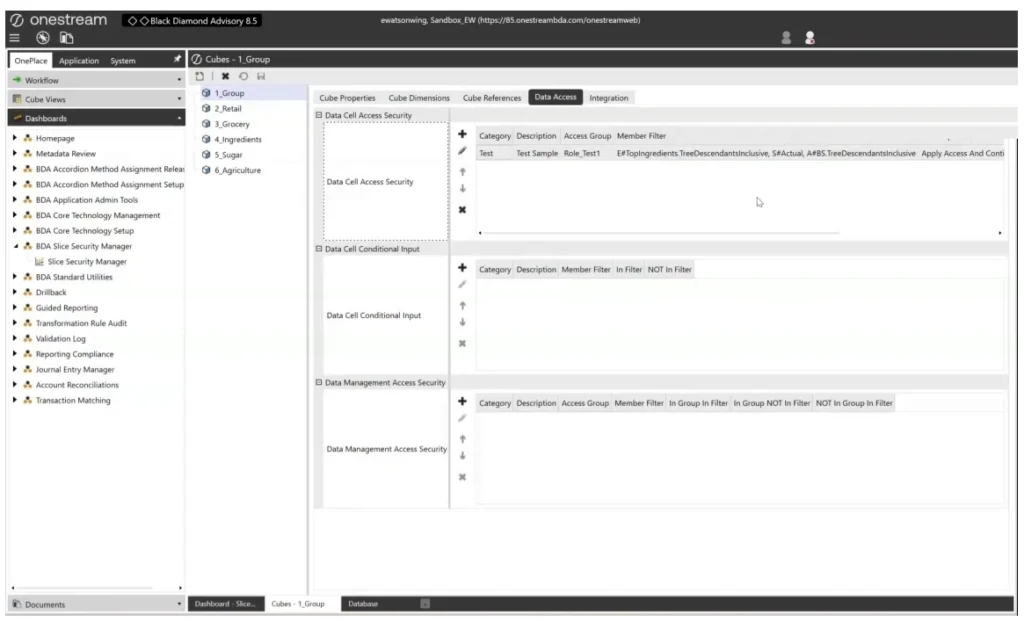
The native Cube Data Access window: workable for a handful of entries, unmanageable once the configuration gets complex.
A Role-Based Front Door
The Slice Security Manager replaces that experience with a purpose-built dashboard. Security is organised by role, and everything you need to define a role sits on one screen. On the left you configure the role itself: create new roles, assign users to them, and assign workflow groups – so the same security configuration applies to people and to workflow and Task Manager items. On the right you see every slice that role carries, laid out as a filterable grid with the cube, processing order, category, description and each dimension filter in its own column.
- Roles first: create a role, then attach users and workflow groups to it, rather than repeating member filters row by row.
- Everything visible: each slice shows its cube, priority, category and its entity, scenario, account and user defined dimension filters side by side.
- Group and filter: drag any column header to group by it, or filter the role list to find the configuration you are looking for.
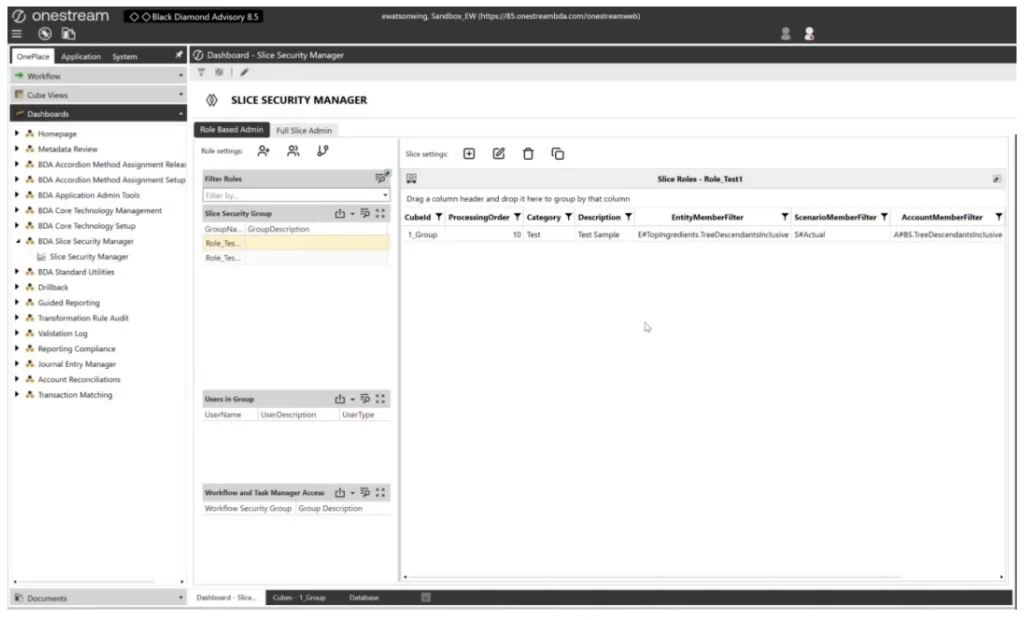
Role Based Admin: role settings, users and workflow groups on the left, the role’s slices on the right.
Building a Slice Without Touching a Table
Adding a slice is a guided form rather than a row edit. You set the attributes that matter first – priority, target cube, an optional category and description, the access level (All, Read or No Access) and the behavior when a user falls in the group. Then you build the filters: pick the scenario, entity, account and user-defined members the slice applies to, using the member selector rather than typing member expressions by hand. Existing slices open in the same window, so amending a rule later – tightening it to specific entities, adding a category – is the same short exercise.
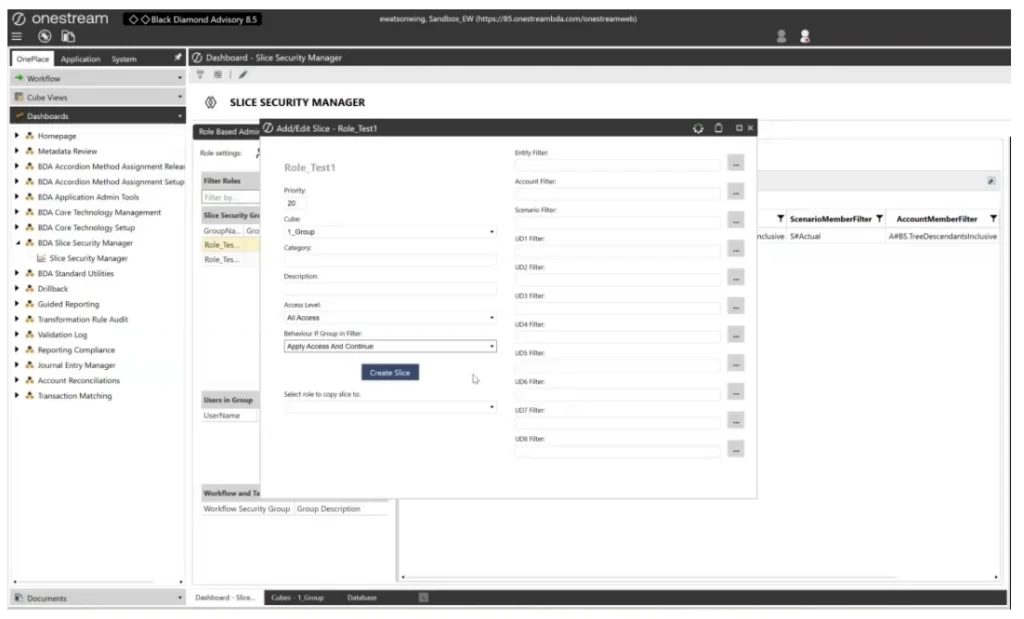
Creating a slice: priority, cube, access level and behaviour, with a member selector for every dimension filter.
Copy Once, Reuse Everywhere
Most security models repeat themselves. The manager leans into that: you can copy all of a role’s slices, or one individual slice, into another role, then open the destination role to confirm the result. Duplicates are deleted from the same window. What used to be a careful exercise in replicating table rows becomes a selection and a click.
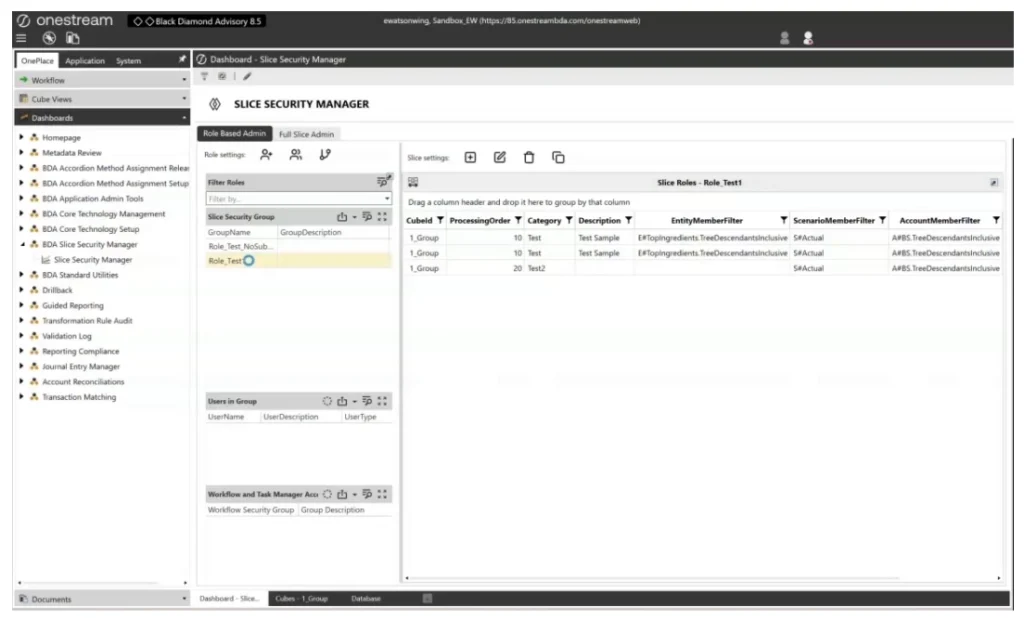
Slices copied into another role appear immediately under the destination role for review.
A Full Slice View for Audit
Role by role is the right way to configure security; it is not always the right way to review it. The Full Slice Admin view lists every slice in the application alongside the role unique ID it belongs to, and supports the same actions – add, edit, delete and copy – from a single list. It is the quickest way to answer, “what rules do we actually have in place?” before an audit or a go-live.
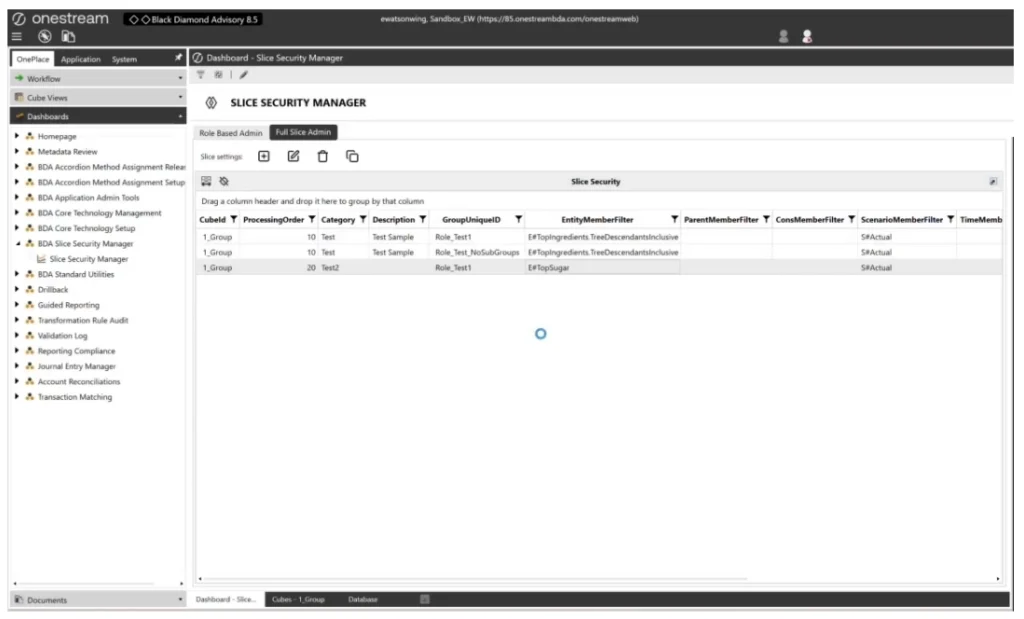
Full Slice Admin lists every slice and the role it belongs to, so the whole configuration can be reviewed in one place.
Built on the Standard Table, Not Around It
None of this is a parallel security system. The manager sits in a dedicated Black Diamond Advisory workspace, where a data adapter reads the standard Cube Data Access table directly – so what you configure here is exactly what OneStream enforces. The default naming convention uses a role prefix, and that prefix is editable to suit each client’s conventions. For administrators who prefer to work closer to the data, SQL Table Editor components expose parameterised slice detail windows that update the same table row-wise.
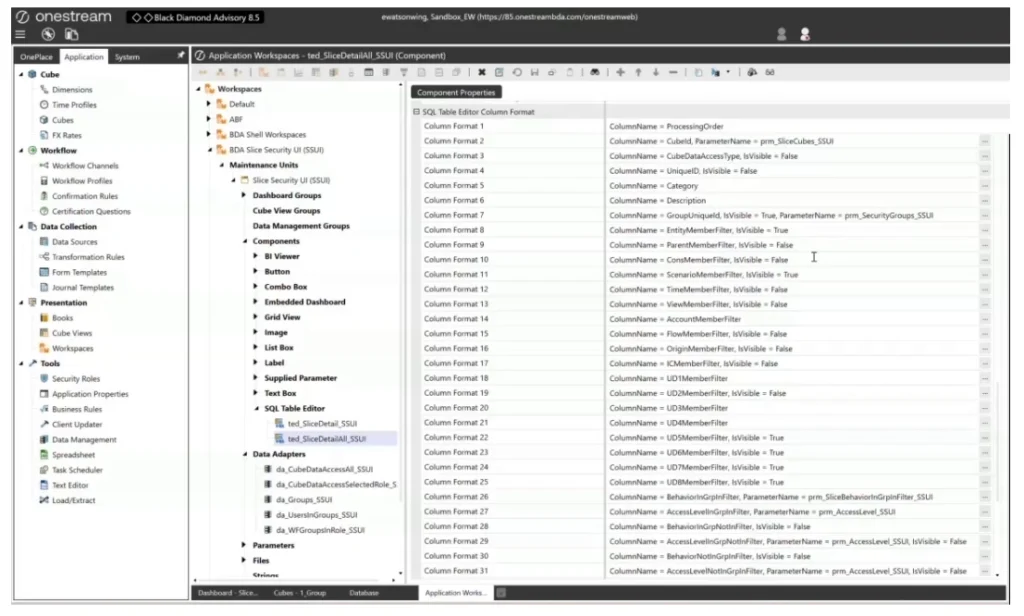
Behind the dashboard: data adapters over the Cube Data Access table and SQL Table Editor components in the BDA Slice Security workspace.
Use It By Exception
One piece of guidance matters more than any feature. Slice security is an exception mechanism, not your primary control. The default OneStream security should carry the load: dimensional security on entities and accounts, display member groups, UD member display groups, workspace and cube view access, and maintenance unit security. Those layers determine who sees which members and who can enter data, and they should be configured properly first.
Cube Data Access is where you go when a requirement cannot be expressed that way — when the rule depends on a combination of entities, accounts and user-defined dimensions at once. That is precisely the scenario the Slice Security Manager is built for: making those composite rules easy to apply, easy to update and easy to hand over.
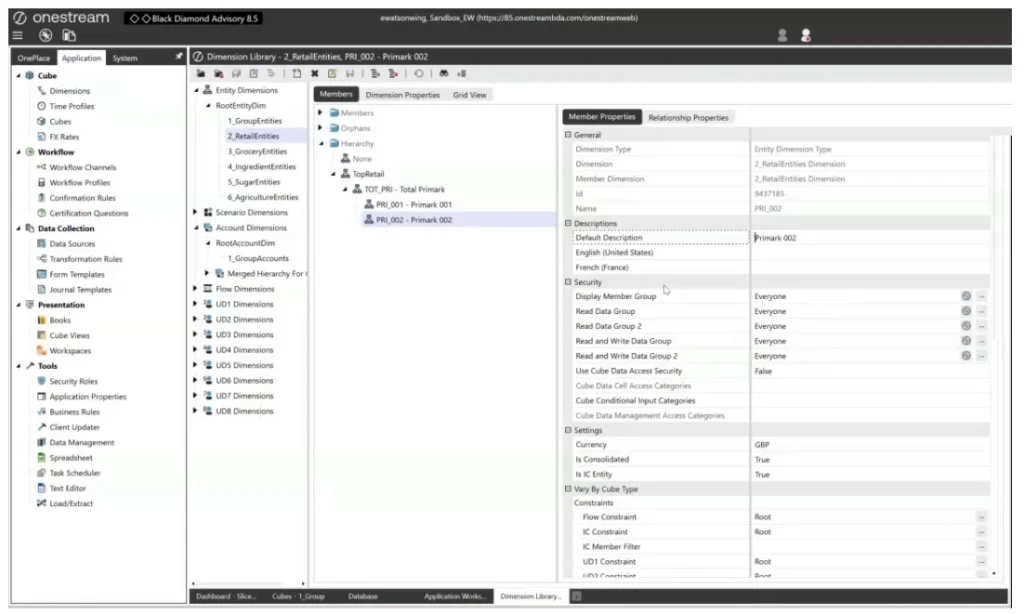
Standard dimensional security – display member groups and read/write data groups – remains the primary control.
Close With Confidence
Composite security is usually the part of an implementation nobody wants to own, because the configuration is invisible and the interface makes every change feel risky. The Slice Security Manager turns it into a role-based, reviewable, copyable set of rules built on the standard OneStream table – simple enough that maintaining an exception no longer needs a developer.
Interested in seeing how this works in practice? Reach out to Black Diamond Advisory to schedule a demo and talk through how the Slice Security Manager could fit into your application.
That brings the series to a close. Thanks for reading – and if you have missed the earlier installments, they cover the wider set of Black Diamond Advisory add-on components, from application setup through to reporting.