

First in a series on what changed in OneStream Account Reconciliations in version 9.
If you administer Account Reconciliations, you know the recurring overhead every close carries: recon property/attribute maintenance. Risk levels, groupings, preparers and reviewers, frequencies, due dates – all of it has to stay correct, and all of it drifts. Balances move, accounts get added, people change roles, and someone spends the first two days of close clicking through reconciliations to bring the inventory back in line. Yuck!
OneStream Financial Close v9 takes direct aim at that work. Across this series we’ll walk the Account Reconciliations enhancements one at a time – what they do, where they show up in the interface, and how we’d actually deploy them on a live close. We’re starting with the one that changes the administrator’s monthly work the most: Dynamic Attribute Mapping, or DAM… Yes, OneStream called it that!
What Dynamic Attribute Mapping Is
Dynamic Attribute Mapping (DAM) automates the maintenance of reconciliation attributes – for example, assigning risk levels based on balances, account types, currencies, or other conditions, and grouping reconciliations according to specific criteria – with rules that run on demand, or can be scheduled so that while you watch Sunday Night Football, it does it’s thing…
The mental shift for this to work, is from state to policy. Instead of stamping an attribute onto a reconciliation and hoping it stays correct, you write the rule that decides the attribute and let the system apply it every period. Your risk policy stops living in a spreadsheet, or someone’s brain for that matter, and starts living within the application.
The Added Benefits
Attribute maintenance becomes a rule, not a task.
Administrators and Solution Administrators manage rules on a dedicated Dynamic Attribute Mapping Rules page. It’s easy to access, understand (even for those less technical) and allows you to apply a test scenario before committing the changes… Pretty freakin’ cool if you ask me!
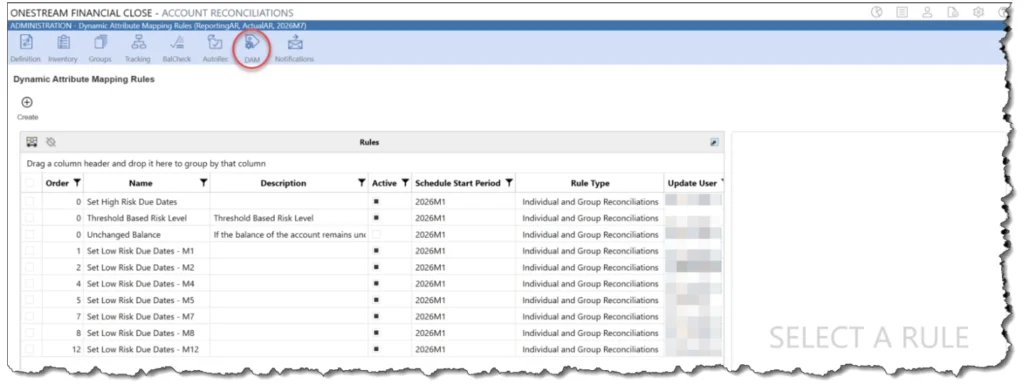
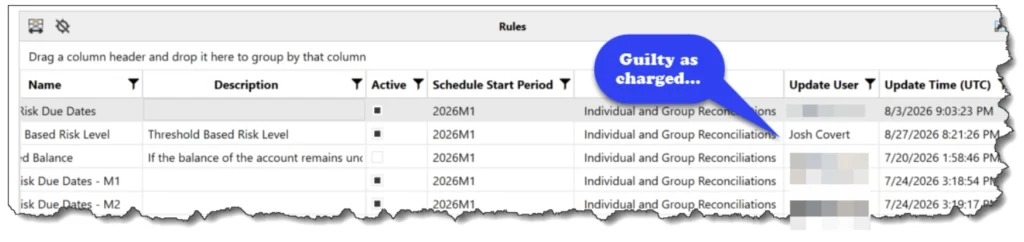
Here rules can be created, edited, copied, deleted, and run. Each rule carries a name, an optional description, an Active flag, an Order, a Scheduled Start Period (think… When do I want this rule to apply prospectively from?), and a Rule Type. You also get the usual suspects like Update User, ya know for those pesky auditors, and the time it was last updated.
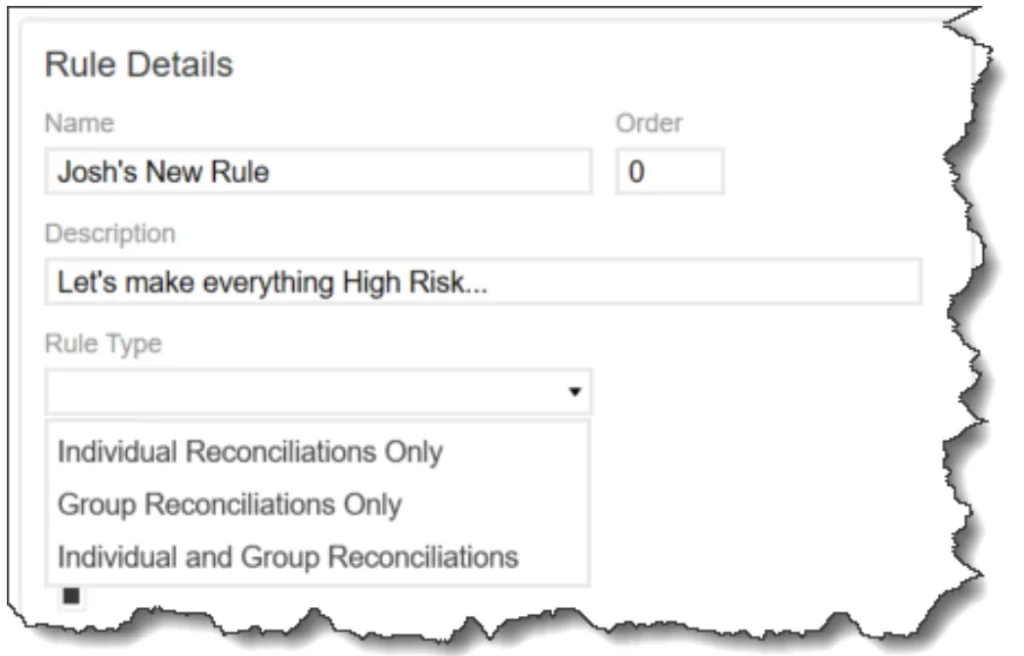
Now when setting up a Dynamic Attribute Map, is when the real fun begins… You have to ability to designated how and when a map is applied. Such as individual reconciliations, grouped reconciliations, or both.
Rules are then configured through a form, via an Expression Filter Editor, rather than a SQL table editor, making it easier on the admins to simplify the logic. Here’s an example
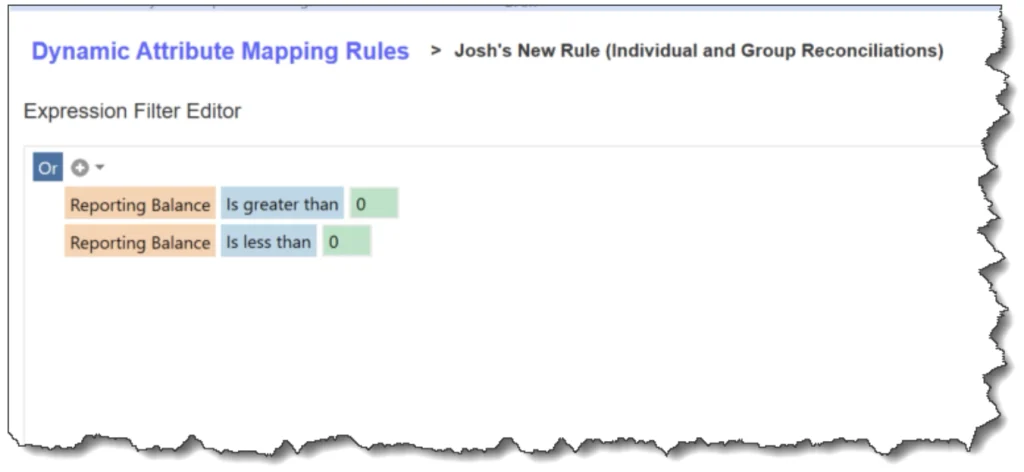
In this example, I’m essentially saying, any reconciliations with a balance are going to be updated to a risk of “High” which will be applied in the next step. Before we get the property update applied, we can see what reconciliations are going to be impacted by the condition noted above:
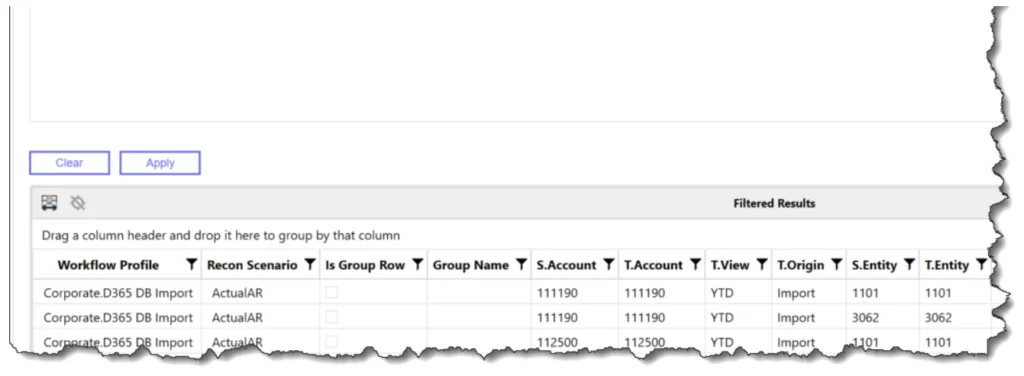
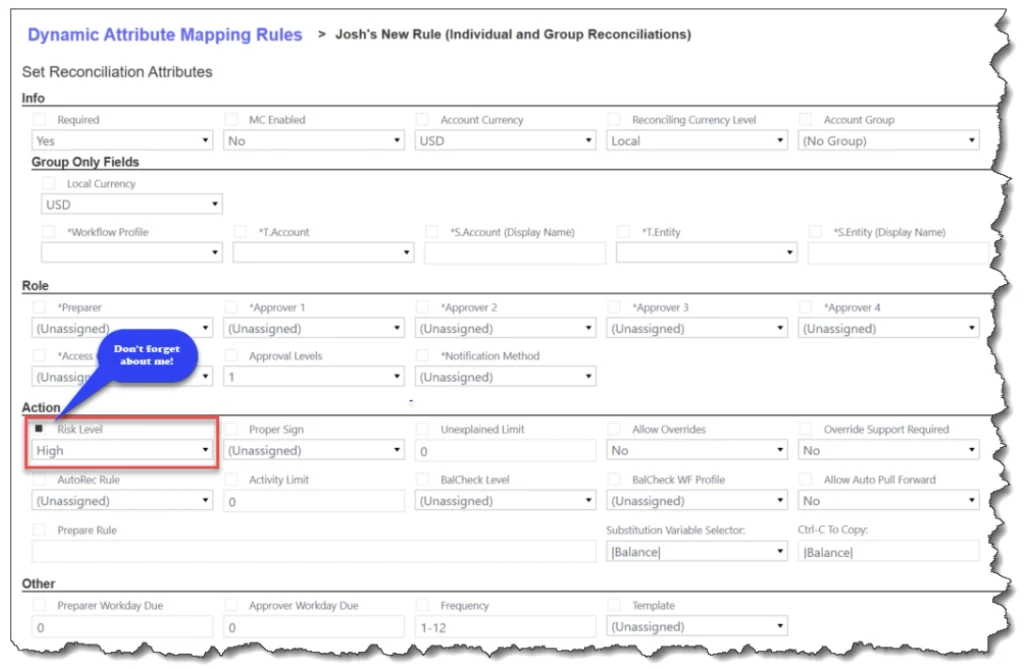
Consider this a safeguard. But it’s not the only check before such a dynamic map is applied. But more to come on that in a later blog… For now let’s focus on the smorgasbord of properties we can update. In this instance I’m going to set the risk rating to “High” for any instances where my condition above is met. Always remember to select that pesky check box though, or else no change will be applied.
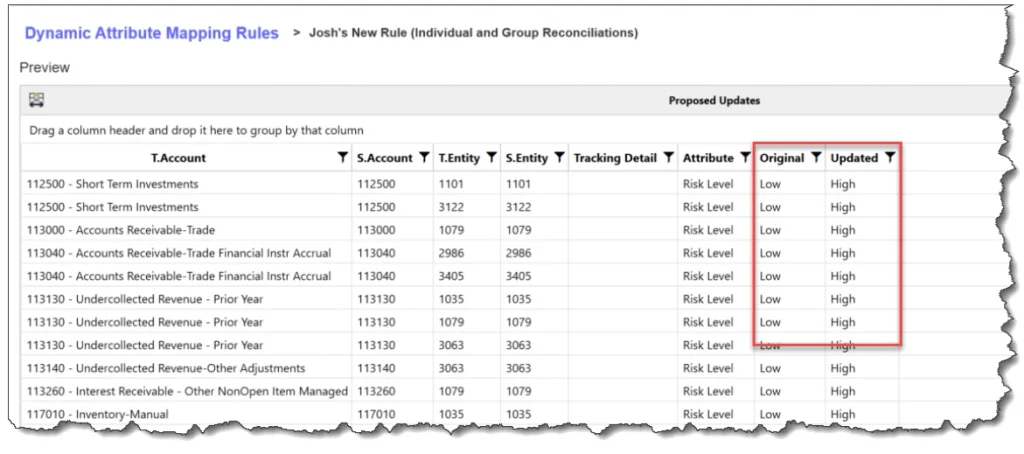
The next screen will take you to a preview so that you may go in and see the recs that would change, if you were to run the job to update properties. Consider this a last line of defense, or a warning before you commit the changes to the system. It seems scary, but trust me, it’s not!
Why does all this matter? In the good ‘ole days, custom attribute logic had to be embedded in a custom business rule, a load file, or some other mechanism to apply batch level changes. This is now a configurable, visible, ownable object in the Account Reconciliation module, that a functional administrator can maintain without a developer on hand. Pretty cool stuff if you ask me!
Next in the series: we will talk about the types of conditions where utilizing dynamic attribute mapping is best used, a little foray into what are best practices, and where the future is headed regarding administrative maintenance of OFC.